FoneDog Toolkit for Android
FoneDog Toolkit for Android: A Complete Recovery & Management Suite for Your Mobile Data
FoneDog Toolkit for Android is an all-in-one data recovery and device management suite designed to help users restore lost files, fix system issues, back up data, and manage Android devices with ease. Whether you’ve accidentally deleted photos, your phone won’t boot properly, or you simply want a secure backup solution, FoneDog offers a user-friendly set of tools that work without requiring root access.
With its clean interface and step-by-step guidance, the toolkit is ideal for everyday Android users, technicians, and content managers who need reliable control over their mobile data.
Key Features
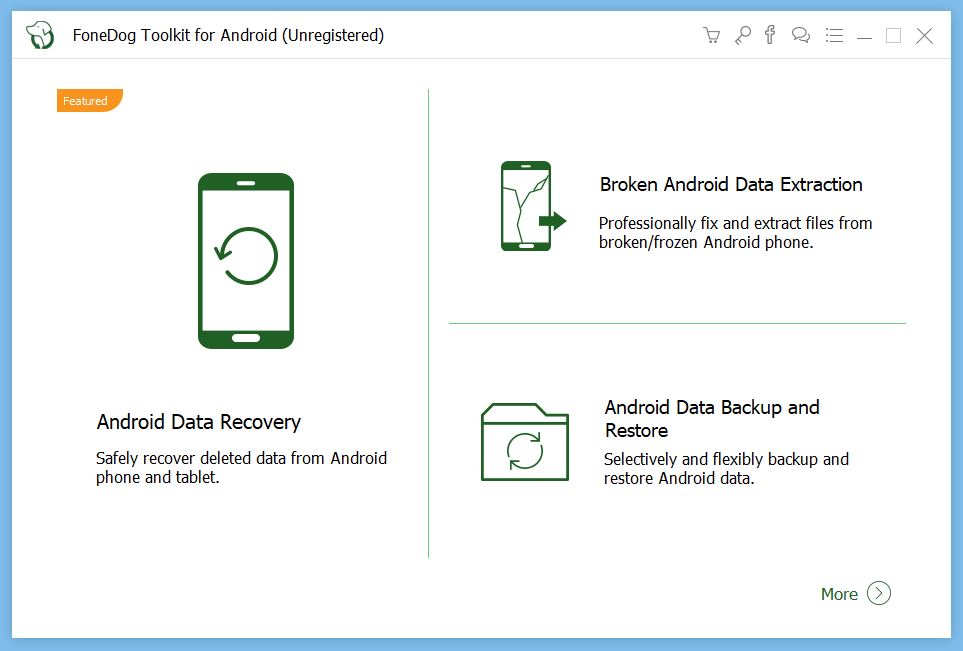
- Android Data Recovery: Restore deleted photos, messages, contacts, call logs, WhatsApp data, videos, and documents.
- Broken Android Rescue: Recover data from devices stuck in black screens, boot loops, or system failures.
- Android Backup & Restore: Create full or selective backups and safely restore them anytime.
- File Management Tools: Transfer photos, videos, and contacts between Android and PC with simple drag-and-drop actions.
- High Compatibility: Supports thousands of Android devices from Samsung, Google, Xiaomi, OPPO, Huawei and more.
How to Use FoneDog Toolkit for Android (Quick Guide)
- Download and install FoneDog Toolkit on your computer.
- Connect your Android device via USB and enable USB Debugging.
- Choose a module such as Data Recovery, Broken Recovery, or Backup & Restore.
- Let the software scan your device and preview recoverable items.
- Select the files or data you want and click Recover or Restore.
The guided interface makes the process simple even for non-technical users.
5 Things You Can Do With FoneDog Toolkit for Android
- Recover deleted photos and messages even without a prior backup.
- Fix unresponsive or stuck Android devices, retrieving important data before repair.
- Create secure backups for peace of mind before resetting or switching phones.
- Transfer files between phone and PC without cloud services.
- Restore WhatsApp data, including media and chats, with just a few clicks.
Who Should Use It?
- Users who accidentally delete important Android data
- Individuals with devices stuck in boot loops or frozen screens
- Anyone migrating to a new phone
- Content creators needing easy file transfers
- Technicians seeking a fast, user-friendly recovery tool
Conclusion: A Reliable Toolkit for Android Data Protection
FoneDog Toolkit for Android combines data recovery, system repair, and device backup into a streamlined, accessible package. For users dealing with lost files or malfunctioning devices, it’s one of the most dependable solutions available—and a must-have tool for anyone who wants full control over their Android data.
Note: Tools files may be marked as malicious by antivirus. Be sure to check the file before downloading.
Comments & Ask Questions
Comments and Question
There are no comments yet. Be the first to comment!