Kaspersky Rescue Disk
Kaspersky Rescue Disk: A Powerful Free Tool to Recover Heavily Infected PCs
Kaspersky Rescue Disk is a free, bootable security utility designed to clean systems that are too infected to start normally. By scanning your computer before Windows loads, it detects and removes malware that traditional antivirus tools may miss—including rootkits, bootkits, and hidden processes. For home users, technicians, and IT professionals, it’s one of the most reliable emergency repair tools available.
Key Features
- Pre-boot malware scanning: Stops malware before it starts, ensuring deeper and more accurate detection.
- Advanced Kaspersky engine: Removes rootkits, ransomware remnants, hidden trojans, and system-level infections.
- User-friendly graphical interface: Much easier than old command-line rescue discs.
- Virus definition updates inside the environment: Ensures the latest protection even on dead systems.
- Completely free: No license, no subscription, full functionality.
How to Use Kaspersky Rescue Disk (Quick Guide)
- Download the ISO from Kaspersky’s official website.
- Create a bootable USB using Rufus, Etcher, or Kaspersky’s own media tool.
- Enter your BIOS/UEFI and set the USB drive as the first boot device.
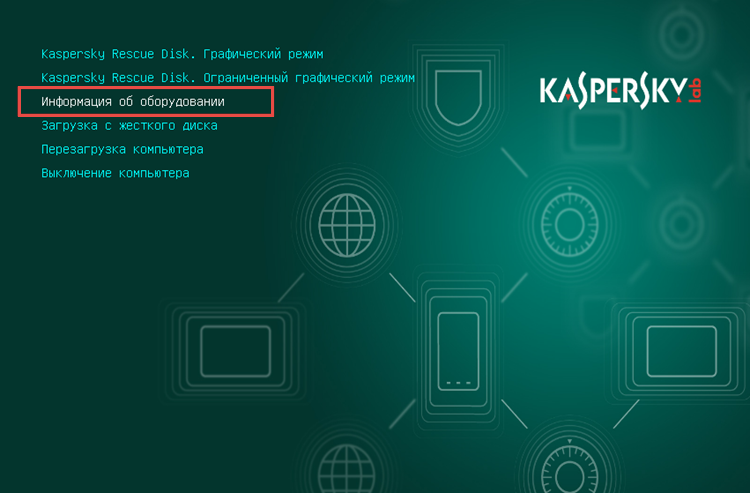
- Choose Graphic Mode when the rescue interface appears.
- Update virus definitions inside the Rescue Disk environment.
- Run a full system scan and clean all detected threats.
Once the cleanup is complete, restart your system and try booting into Windows again.
5 Things You Can Do with Kaspersky Rescue Disk
- Eliminate deep system infections that prevent Windows from starting.
- Scan and clean disks before malware loads, ensuring accurate threat removal.
- Recover systems hit by ransomware or corrupted system files.
- Diagnose boot-sector issues and hidden malicious processes.
- Scan external storage devices to prevent reinfection.
Who Is It For?
- Users with unbootable or severely infected systems
- PC technicians and repair shops
- Anyone wanting a last-resort fix before formatting
- System administrators needing a fast, offline malware removal tool
Conclusion: A Must-Have Emergency Tool for Every PC User
Kaspersky Rescue Disk is one of the most effective free solutions for repairing broken or infected systems. With its pre-boot scanning engine, easy interface, and strong malware detection, it’s a tool every user should keep on a USB drive for emergencies.
Note: Tools files may be marked as malicious by antivirus. Be sure to check the file before downloading.
Comments & Ask Questions
Comments and Question
There are no comments yet. Be the first to comment!