Spacedesk 2.2.11
Spacedesk 2.2.11: Your Instant Multi-Monitor Hack, Now Even Snappier on Windows 11
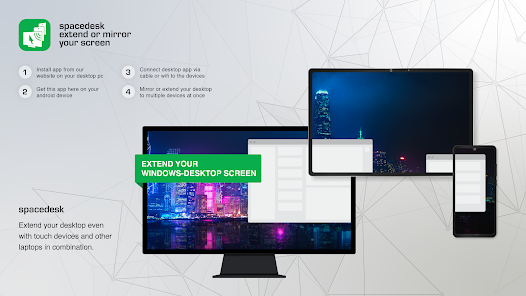
Picture this: You're knee-deep in a sprawling spreadsheet, editing a video timeline, or raiding in your favorite MMO, and bam—your laptop's screen just isn't cutting it. Enter Spacedesk, the free wizardry that turns any spare device (phone, tablet, another PC) into a legit extra monitor via Wi-Fi or USB. No pricey cables or docks required; it's like having a portable office upgrade in your pocket. The latest drop, v2.2.11 from December 2024, is a quick-but-crucial tune-up that irons out the kinks for Windows 11 users, keeping your workflow glitch-free without drowning you in new menus.
It's zero-cost magic for Windows 7/8.1/10/11 (server-side driver) and plays nice as a viewer on Android, iOS, Windows, or even HTML5 in your browser. Setup's a breeze: Install the driver on your main rig, fire up the viewer on your secondary screen, and connect over LAN (hotspot works offline) or USB for that low-latency punch. Gamers love it for side-by-side chats and maps; creators swear by it for tool palettes that float anywhere.
What's Polished in v2.2.11 (The Essentials, No Fluff)
This release is all about reliability—think of it as the software equivalent of fresh tires on your daily driver. Dropped late last year, it targets those pesky Windows 11 24H2 hiccups while sprinkling in business-friendly tweaks:
- Windows 11 Stability Surge: Fixed a nagging delay when plugging in virtual monitors on 24H2 setups, plus squashed a certification bug in the display driver. No more mid-session freezes when extending your desktop.
- Smarter Keyboard Controls: Revised pop-up messages for unencrypted or unlicensed connections, and locked down iOS keyboard input to encrypted, licensed networks only. Keeps things secure without nagging casual users.
- iOS Business Boost: Added validation for business licenses, so pros can restrict features fleet-wide—great for teams juggling remote setups.
- Console Clean-Up: Unified progress bars across all toggles (server, USB, diagnostics), refined connection drop delays, and patched the download link in the driver console. Diagnostics got a glow-up too, for easier troubleshooting.
No massive overhauls here—just the kind of under-the-hood fixes that make daily use feel effortless. It builds on the viewer-side updates (like Android/iOS v2.1.11 from mid-2024), ensuring buttery performance across devices.
Why It's a Quiet Win for You
- Gamers and Streamers: Mirror your game HUD or keep OBS timelines on a tablet—low input lag via USB means no frustrating desyncs during clutch moments.
- Productivity Pros: Dual-screen your email and docs on the go; touch support on mobile viewers turns swipes into seamless navigation.
- Budget Setup Squad: Free alternative to hardware extenders, with stylus pressure sensitivity and audio passthrough for creative flows.
Bottom line? Spacedesk 2.2.11 keeps the multi-monitor dream alive and kicking, especially if you're on the latest Windows. It's not reinventing the wheel, but it rolls smoother than ever—perfect for anyone tired of single-screen squinting.
Note: Tools files may be marked as malicious by antivirus. Be sure to check the file before downloading.
Comments & Ask Questions
Comments and Question
There are no comments yet. Be the first to comment!