Xbox for Windows
Xbox for Windows 2502.1001.6.0 — What You Need to Know
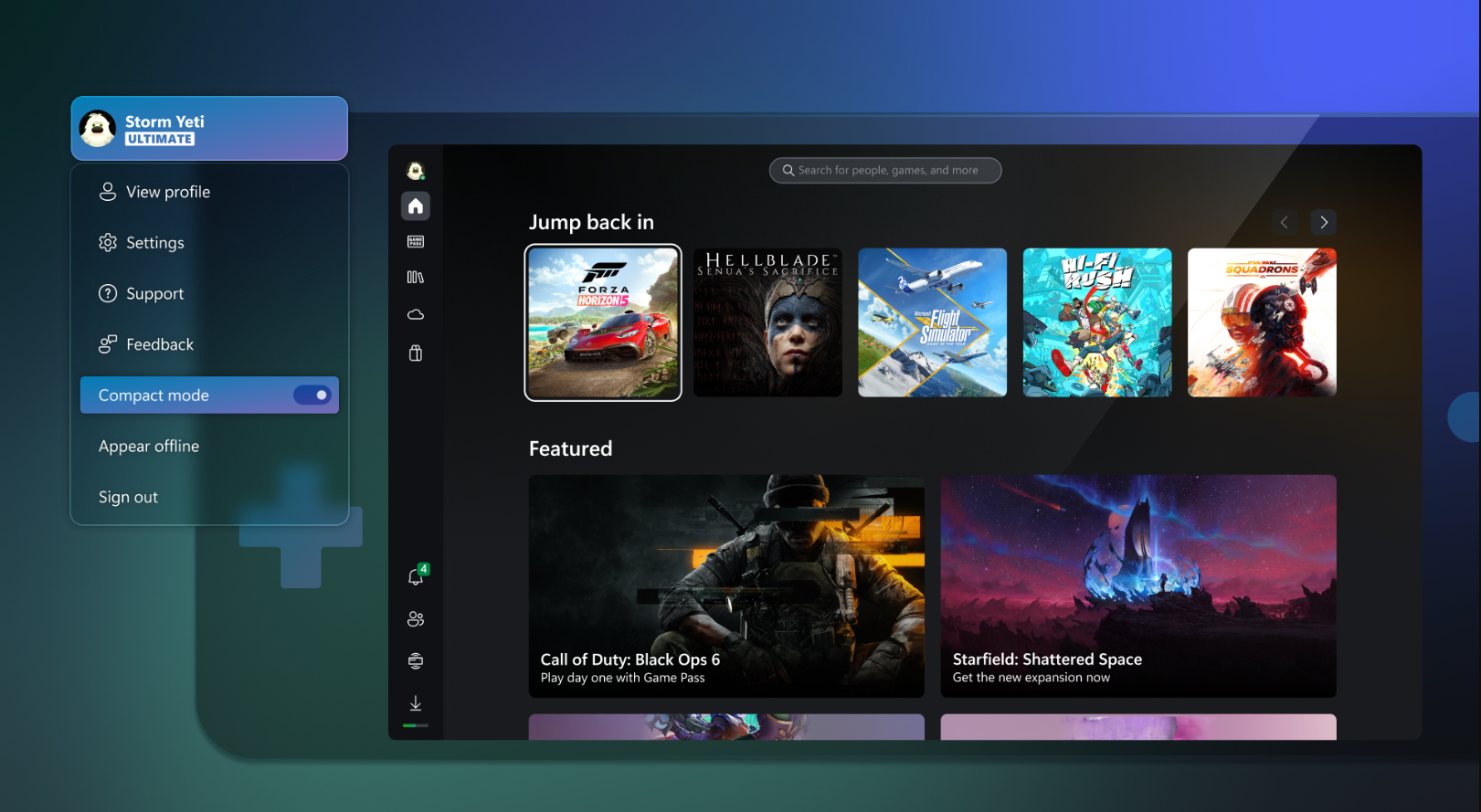
Xbox for Windows (often just called the Xbox PC app) is Microsoft’s central gaming hub for Windows 10 and Windows 11. It serves as the gateway to Xbox Game Pass, cloud gaming, your game library, social features (friends, chat), and access to both the Microsoft Store and games installed on your PC.
Version 2502.1001.6.0 was released in February 2025 and focuses on stability and quality improvements, rather than sweeping new features — a common approach for incremental Xbox app builds.
What Changed in 2502.1001.6.0
According to release notes from community-supported tracking (not always published directly by Microsoft), this update includes:
General Improvements
- Stability and performance improvements — smoother app behavior and fewer random crashes.
Bug Fixes
- Resolved a persistent alert banner that would stay on screen even after an incompatible drive installation error had been fixed.
- Fixed a bug where desktop shortcuts for DLC installations were being created incorrectly.
These are relatively minor on paper, but they address annoying UI glitches or unwanted files cluttering your desktop — which improves overall day-to-day use of the Xbox app.
What the Xbox App Does (Today)
The Xbox Windows app is more than just a launcher — it’s a unified gaming experience on PC:
Game Discovery & Play
- Browse, install, update, and launch games (especially via Xbox Game Pass).
- Cloud gaming support (play select titles streamed from Microsoft’s servers without needing a beefy PC).
Social & Community
- View what your friends are playing, send messages, and join parties across PC and Xbox consoles.
Store & Library Integration
- Access the Microsoft Store for game purchases and DLCs — Game Pass members often see discounts or new release perks.
Notifications & Profile Tools
- In-app notifications for invites, messages, achievements, and activity feed updates.
Common User Issues (Reported by Community)
Just like any major Windows gaming app — especially one tied to cloud services and multiple accounts — there are some recurring pain points users often discuss:
App Won’t Start or Crashes
Some users report that the Xbox app refuses to open, or closes immediately after launch. This can crop up after updates or if Gaming Services are corrupted. Reddit+1
Multiple Microsoft Account Conflicts
Gamers with several Microsoft accounts (for Windows login, Xbox ownership, Game Pass, etc.) sometimes experience login errors or profile loading failures. Reddit
Windows Version Compatibility Banners
If your PC’s Windows version is out of date, the app may display warnings — and in rare cases even prevent some features from working until you update to a supported build. Reddit
Repair Work Needed
Fixes often involve repairing Gaming Services, resetting the app, or reinstalling via the Microsoft Store — and some community users share detailed steps for these troubleshooting flows. Reddit
Who This Update Is For
Great fit if you:
- Actively use Xbox Game Pass on Windows. Xbox.com
- Want a central hub for PC gaming, social features, cloud play, and the Microsoft Store. Xbox.com
Proceed with caution if you:
- Use multiple Microsoft accounts and see login conflicts. Reddit
- Are on older Windows versions with compatibility banners or blocked features. Reddit
- Experience app launch or crash issues post-update. Reddit
Ongoing Improvements & Future Direction
Microsoft continues evolving the Xbox app beyond basic launch features. Recent updates (from 2025) have introduced updated home screens, better game discovery interfaces, and broader aggregated libraries that pull games from multiple stores into one view inside the app.
Additionally, Microsoft has been working to support Arm-based Windows devices with broader game download and local play capabilities inside the Xbox PC app — a sign that the platform aims to unify gaming across even more hardware.
Bottom line: Version 2502.1001.6.0 of Xbox for Windows is a maintenance-focused build — smoothing out bugs and tightening performance while retaining the core features PC gamers expect: Game Pass access, cloud gaming, social tools, and a unified library experience
Note: Tools files may be marked as malicious by antivirus. Be sure to check the file before downloading.
Comments & Ask Questions
Comments and Question
There are no comments yet. Be the first to comment!