Resource Hacker 5.2.7
Resource Hacker 5.2.7: The Essential Tool for Windows Resource Customization
Resource Hacker remains the go-to utility for viewing, modifying, and replacing resources in Windows executables and dynamic-link libraries (DLLs), with version 5.2.7 offering modern stability.
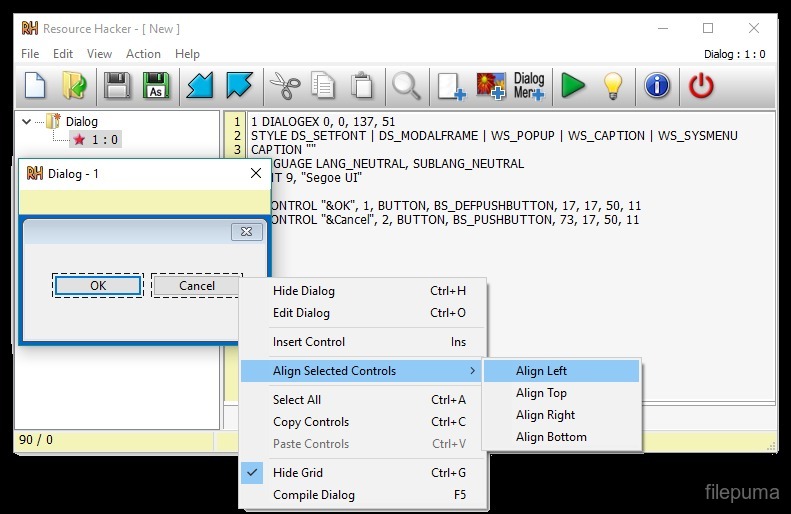
The name Resource Hacker is instantly recognizable to developers, power users, and system customizers. This classic, freeware utility provides a simple graphical interface for inspecting and manipulating resources within Windows PE (Portable Executable) files, such as .EXE and .DLL files.
The specific version you mentioned, 5.2.7, represents a highly stable and refined iteration of the tool, ensuring compatibility and reliability in modern Windows environments (Windows 10/11) while maintaining its core, powerful functionality.
What Resource Hacker Does
At its core, Resource Hacker allows a user to peek inside Windows binaries and perform four key functions:
- View: Users can explore all the resources embedded within an executable file. This includes icons, cursors, bitmaps, strings, menus, dialog boxes, version information, and manifests.
- Modify: Existing resources can be edited directly. For instance, text in a dialog box or menu name can be changed.
- Replace: Resources can be replaced entirely. This is most commonly used to change the default application icon, alter the appearance of a built-in dialog, or update version strings.
- Add/Delete: New resources can be added to a file, or existing ones can be removed.
The Significance of Resource Hacking
The ability to modify these internal components is critical for several different user groups:
- System Customization: This is the primary use case for enthusiasts. Resource Hacker allows users to change default system icons (e.g., in shell32.dll), alter the text in error messages, or customize the appearance of older applications.
- Localization: Developers often use it to quickly edit string tables and menu resources for translation into different languages without needing to recompile the original source code.
- Troubleshooting: Analyzing the embedded manifest files (which define how an application interacts with the operating system, especially regarding permissions) is essential for diagnosing application compatibility and elevated privilege issues.
- Version Control: Easily viewing and modifying the version information block ensures that installers and end-users see the correct product details.
Why Version 5.2.7 is Key
While Resource Hacker maintains its fundamental look and feel across versions, the 5.x branch, including 5.2.7, focuses heavily on modern stability and compatibility:
- PE Format Compatibility: Ensures that the utility can correctly read and write the latest PE file formats used by modern Windows compilers.
- 64-bit Support: Reliable handling of resources in both 32-bit and 64-bit binaries, which is crucial in contemporary Windows environments.
- Interface Stability: Continued stability and bug fixes for the tree-view interface, making navigation of complex resource files seamless and reliable.
Resource Hacker remains a free, efficient, and powerful tool that gives users unprecedented control over the visual and functional aspects of their Windows software.
Note: Tools files may be marked as malicious by antivirus. Be sure to check the file before downloading.
Comments & Ask Questions
Comments and Question
There are no comments yet. Be the first to comment!