Bytescout XLS Viewer 4.7.0.2045
Bytescout XLS Viewer 4.7.0.2045: Why Lightweight Excel Viewers Still Matter
The latest stable release of Bytescout’s dedicated spreadsheet viewer, version 4.7.0.2045, offers a fast, secure, and resource-efficient alternative to launching a full office suite.
In professional and IT environments, the ability to quickly and safely view data without the bloat and complexity of a full application like Microsoft Excel is essential. Bytescout XLS Viewer fulfills this exact role, offering a dedicated, compact solution for reading spreadsheet files.
The specific version, 4.7.0.2045, highlights the ongoing commitment by Bytescout to maintain and update this utility, ensuring it remains a fast and reliable viewer for various Microsoft Excel formats.
The Case for a Dedicated Viewer
While most users have access to Microsoft Office or free alternatives like LibreOffice, there are several compelling reasons why a standalone viewer like Bytescout XLS Viewer is still preferred:
- Speed and Efficiency: Opening a complex spreadsheet with a full office suite can take significant time and consume substantial memory. Bytescout XLS Viewer is designed to launch almost instantly, focusing only on displaying the data, making it ideal for quick checks.
- Security: In environments where receiving attachments from external sources is common, opening files in a simple viewer can reduce the risk of macros or complex embedded objects executing malicious code, offering a layer of safety that a full, macro-enabled editor cannot.
- Licensing and Cost: For users who only need to view and print data—not edit it—a dedicated freeware (or low-cost licensed) viewer circumvents the need for a costly full-suite license.
Key Features of Version 4.7.0.2045
The Bytescout XLS Viewer is praised for its robust file compatibility and straightforward functionality:
- Broad File Support: The viewer supports all standard Excel formats, including legacy .XLS files and the modern .XLSX (Open XML) formats, ensuring access to virtually any spreadsheet data.
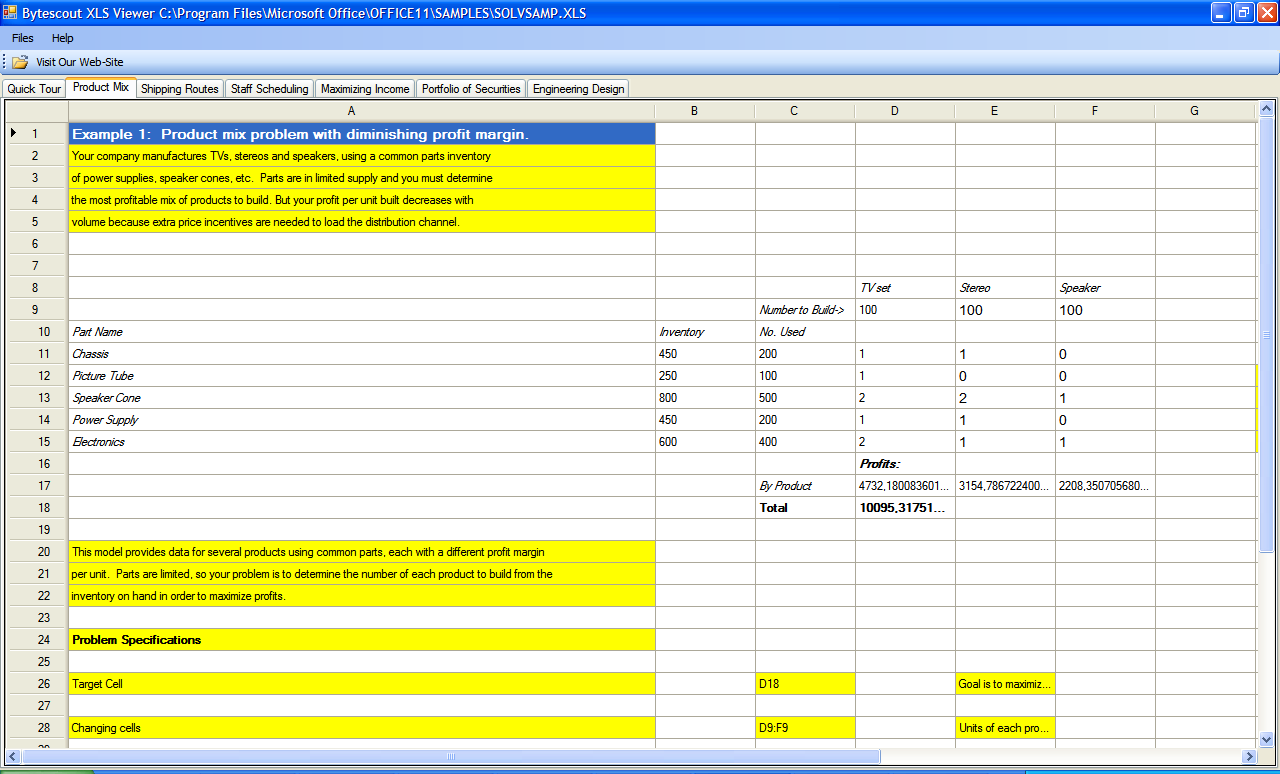
- User-Friendly Interface: The interface is clean, intuitive, and modeled after the traditional spreadsheet layout, making navigation simple even for novice users.
- No Dependency on Excel: The application runs entirely independently. You do not need to have Microsoft Excel installed on your machine to open and read files.
- Printing Capability: Users can easily print the displayed spreadsheet content, which is a crucial function often required in data verification workflows.
- Data Export (Common in the full version): While primarily a viewer, the full commercial version typically includes features to export data to other formats, extending its utility in data migration.
Why Updates Matter
Even for a simple viewing tool, updates like the jump to version 4.7.0.2045 are vital. They primarily focus on:
- Compatibility: Ensuring flawless opening of files created by the latest versions of Microsoft Excel.
- Security: Patching any potential vulnerabilities that may arise from parsing complex file formats.
- Performance: Continuous optimization for faster launch times and smoother scrolling, particularly with large datasets.
For professionals who prioritize speed, resource management, and security when dealing with spreadsheet data, Bytescout XLS Viewer remains a top contender in the dedicated utility category.
Note: Tools files may be marked as malicious by antivirus. Be sure to check the file before downloading.
Comments & Ask Questions
Comments and Question
There are no comments yet. Be the first to comment!