Total Commander 10.52
Total Commander 10.52 — Overview
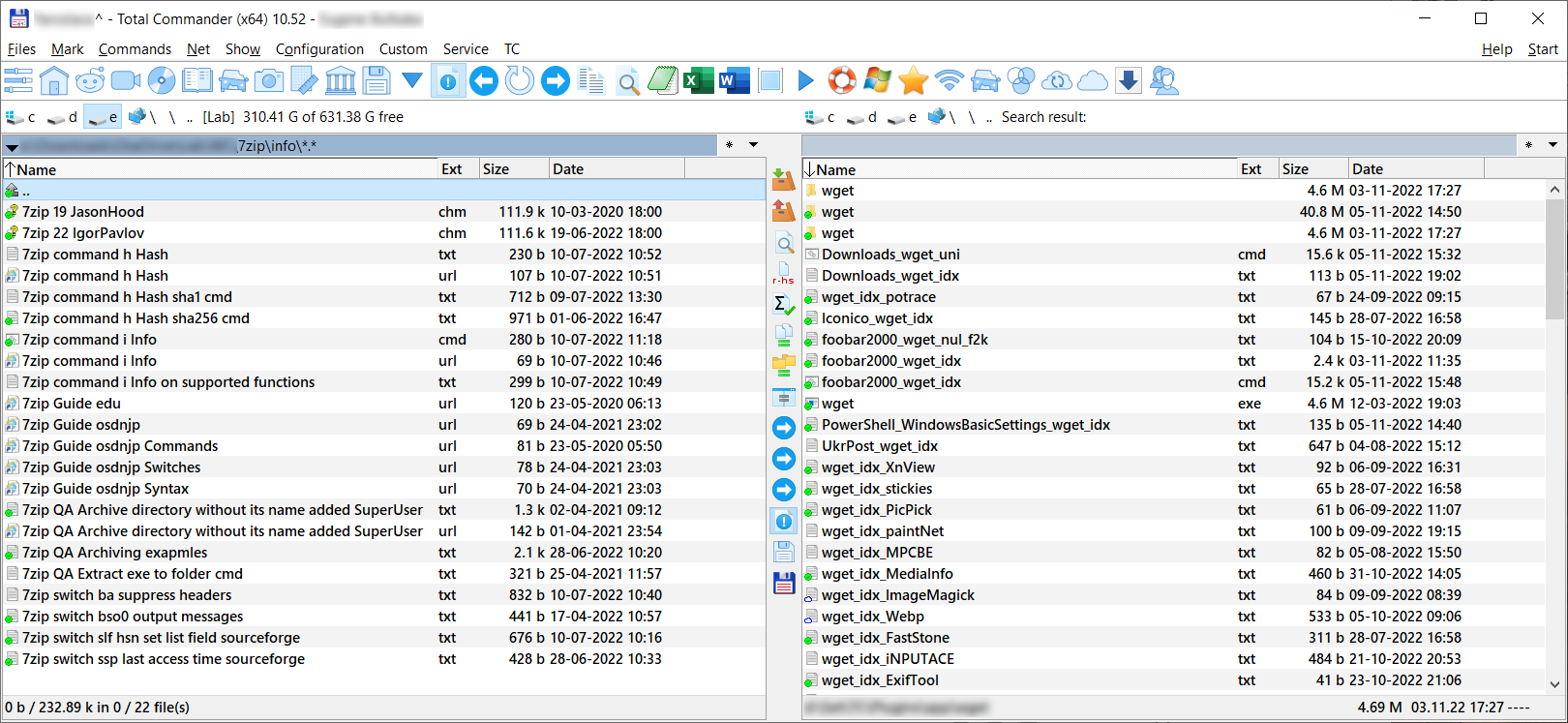
Total Commander is a powerful file management application for Windows developed by Christian Ghisler. It is best known for its dual-panel interface, which allows users to manage files and folders efficiently by viewing two directories side by side. Version 10.52 is a maintenance release in the 10.x series, focused on stability improvements, compatibility updates, and bug fixes.
Total Commander is widely used by power users, system administrators, and professionals who require advanced file management capabilities beyond those offered by the default Windows File Explorer.
Core Functionality
Total Commander provides a wide range of file management features, including:
- Dual-panel file browsing for fast file operations
- Copy, move, delete, rename, and compare files and directories
- Advanced search with filters and regular expression support
- Built-in file viewer for text, images, and binary files
- Integrated file packing and unpacking (ZIP, RAR, 7z, TAR, and more)
- FTP, SFTP, and FTPS client support for remote file management
These tools are designed to speed up repetitive tasks and give users precise control over file operations.
Key Features in the 10.x Series
In the broader 10.x release line, Total Commander introduced and refined features such as:
- Improved high-DPI display support
- Enhanced support for modern Windows versions
- Better Unicode handling and file system compatibility
- Stability and performance optimizations
Version 10.52 continues this trend with incremental fixes rather than major interface changes.
Customization and Extensions
Total Commander is highly customizable:
- Keyboard shortcuts for nearly all operations
- Custom toolbar buttons and user-defined commands
- Plugin system for file system extensions, viewers, packers, and content plugins
- User-configurable layouts and color schemes
This flexibility makes it suitable for both casual users and advanced workflows.
Typical Use Cases
- Advanced file management on Windows systems
- Batch file operations and directory synchronization
- Managing archives and compressed files
- Remote file transfers via FTP or SFTP
- System administration and technical workflows
Licensing and Availability
Total Commander is distributed as shareware. Users may evaluate the software for free, but continued use requires purchasing a license. The same license generally covers all updates within a major version range.
Summary
Total Commander 10.52 is a stable and feature-rich Windows file manager that offers advanced tools for efficient file handling. With its dual-panel interface, extensive customization options, and powerful built-in utilities, it remains a popular choice for users who need more control and productivity than standard file management solutions provide.
Note: Tools files may be marked as malicious by antivirus. Be sure to check the file before downloading.
Comments & Ask Questions
Comments and Question
There are no comments yet. Be the first to comment!