K-Lite Mega Codec Pack 19.3.0
K-Lite Mega Codec Pack 19.3.0: The Ultimate Fix for Your Media Playback Woes
Stumbled on a funky old AVI file that Windows Media Player just shrugs at? Or maybe you're ripping through 4K Blu-rays and subtitles are ghosting out mid-scene? The K-Lite Mega Codec Pack has been the go-to hero for codec chaos since the early 2000s—think of it as the Swiss Army knife for audio and video, bundled smartly so you don't end up with a bloated mess of conflicting downloads. Version 19.3.0, fresh off the press from late October 2025, keeps the tradition alive with a hefty toolkit that's perfect for gamers syncing cutscenes, movie buffs tackling rare formats, and anyone tired of "unsupported file" errors derailing their downtime.
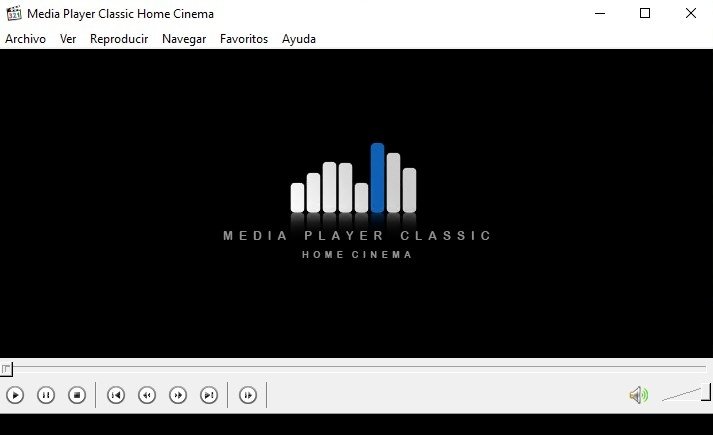
It's completely free (no strings, no ads), clocks in at around 80MB for the full Mega install, and plays nice on Windows from XP up to 11 (both 32- and 64-bit). The installer's a wizard—scans your system, skips duplicates, and lets you cherry-pick components. Pair it with MPC-HC (included) for a dead-simple player that punches way above its weight.
What's Packed In 19.3.0 (The Essentials, No Overkill)
This release is all about refinement: Updated guts for better compatibility with the latest video tech, without reinventing the wheel. It's backward-friendly with older packs too, so your playlists won't hiccup:
- LAV Filters Bumped to 0.79.x: Handles everything from HEVC 10-bit to Dolby Vision like a champ—smoother 4K streams and fewer decoding stutters on mid-range GPUs.
- ffdshow and GraphStudioNext Refresh: Extra tools for tweaking filters on the fly; great for custom deinterlacing if you're into retro VHS rips or broadcast captures.
- MadVR Video Renderer Included: Upscales your media to near-4K glory with intelligent sharpening—ideal for hooking up to a big-screen TV without shelling out for hardware.
- Codec Tweak Tool 6.7.x: Built-in dashboard to fine-tune settings post-install; blacklist buggy apps or prioritize hardware acceleration with a couple clicks.
- Shell Extensions and Thumbnails: Explorer previews for obscure formats (think FLAC or WebM) that load lightning-fast, plus Icaros for icon overlays.
No massive UI redo here—just reliable tweaks that fix edge cases like subtitle sync in MKV containers or audio glitches in DTS tracks. It's the Mega pack, so you get the full arsenal: DirectShow filters, VFW/ACM codecs, and extras like DScaler for real-time video enhancement.
Why It's a Must-Have for You
- Gamers: Seamless playback for recorded clips or mods—no more crashes when sharing highlights on Twitch or Discord.
- Movie Marathons: Tackles 99% of formats out there, from ancient RealMedia to bleeding-edge AV1, with subtitle support that actually works.
- Everyday Users: Low overhead means it won't bog down your system; uninstall clean if you ever need to.
Bottom line? In a sea of half-baked codec grab-bags, K-Lite Mega 19.3.0 is the polished pro that just works—saving you hours of googling error codes. If you're on 19.2.x, the update pack's a quick 28MB zip to bridge the gap.
Note: Tools files may be marked as malicious by antivirus. Be sure to check the file before downloading.
Comments & Ask Questions
Comments and Question
There are no comments yet. Be the first to comment!