UltraMon 3.4.1
UltraMon 3.4.1 – The Multi-Monitor Assistant You Didn’t Know You Needed
If you use more than one monitor, UltraMon 3.4.1 feels less like an add-on and more like a missing piece of Windows. It doesn’t try to overhaul your setup—just makes everything smoother, cleaner, and far more functional.
Smarter Window Management
Snap a window to a specific screen, send applications across displays instantly, or lock layouts exactly where you want them. UltraMon does all the little things Windows should’ve done years ago.
Multi-Monitor Taskbars
Each display gets its own taskbar, showing only the applications sitting on that screen. The result: dramatically less clutter and far better workflow visibility.
Display Profiles
Switch between custom monitor configurations with a single click—perfect for people who dock laptops, swap screens frequently, or switch between work and entertainment setups.
Wallpaper & Screensaver Control
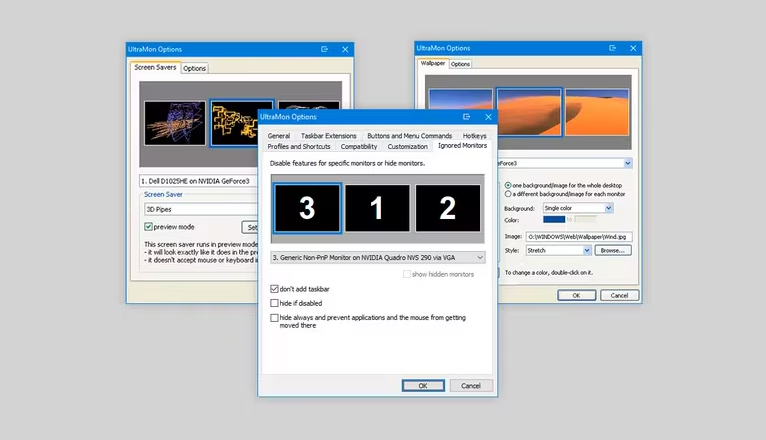
Set different wallpapers per monitor or create a panoramic image that stretches seamlessly across all displays. Screensaver behaviors can also be independently configured, something Windows still struggles with natively.
The Bottom Line
UltraMon 3.4.1 doesn’t shout for attention. Instead, it quietly removes every annoyance that comes with multi-monitor work. Once you use it, going back to a stock Windows setup feels strangely incomplete.
Note: Tools files may be marked as malicious by antivirus. Be sure to check the file before downloading.
Comments & Ask Questions
Comments and Question
There are no comments yet. Be the first to comment!