DRAM Calculator for Ryzen 1.7.3
DRAM Calculator for Ryzen 1.7.3 – The Tool Every AMD Tweaker Swears By
When AMD introduced the first-generation Ryzen architecture, one thing quickly became clear: memory tuning mattered. A lot.
Ryzen’s Infinity Fabric scaled with memory speed and timings, and suddenly RAM—often treated as a set-and-forget component—became a performance lever.
That’s where DRAM Calculator for Ryzen 1.7.3 carved out its reputation. Not as a flashy utility or aggressive auto-overclocker, but as a practical companion that translates the messy science of memory tuning into something human-readable.
Understanding What It Really Does
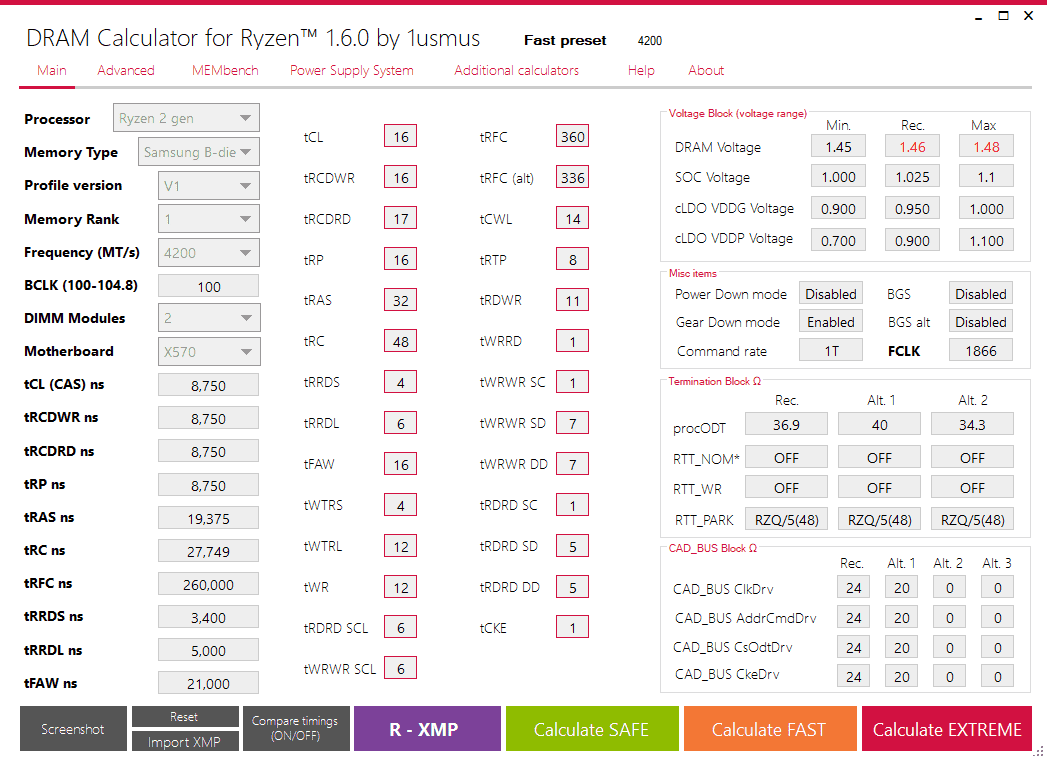
Instead of guessing timings, digging through scattered forum posts, or waiting for someone else’s “golden settings,” the calculator analyzes your DRAM type (Hynix, Samsung B-die, Micron E-die, etc.) and suggests a full timing table tailored to your kit and your Ryzen generation.
It provides:
- Primary timings (CAS, tRCD, tRP, tRAS)
- Secondary & tertiary timings
- Voltage recommendations (DRAM, SOC, CLDO VDDP, VDDG)
- Safe, Fast, and Extreme profiles depending on how adventurous you feel
- Command rate & gear-down mode suggestions
For people familiar with manual tuning, these suggestions save hours of trial and error.
Why Enthusiasts Still Use It
Even though newer Ryzen generations improved memory compatibility, the calculator remains relevant for a simple reason:
it eliminates guesswork.
Ryzen is picky about DRAM subtimings. One off value and you’re looking at random reboots, WHEA errors, or worse—silent data corruption. The calculator doesn’t remove experimentation, but it gives you a solid starting point and dramatically shortens the tuning cycle.
Not Just a Calculator—A Diagnostic Companion
Version 1.7.3 includes quality-of-life tools that overclockers appreciate:
- MEMbench for stability testing
- Error tracking to catch unstable configurations
- Preset profiles matched to real-world DRAM IC behavior
- Compatibility with Zen, Zen+, Zen 2, and Zen 3 platforms
It’s the kind of tool where every button feels like it was designed by someone who has spent way too many hours tweaking RAM at 2 AM.
Who Benefits the Most?
- Benchmarkers chasing the last 3% of latency gains
- Gamers wanting smoother minimum FPS
- Power users optimizing render or compile times
- Tinkerers who enjoy squeezing every last drop from their hardware
But even casual users can benefit—many discover their RAM is running far below its potential simply because XMP/DOCP isn’t optimized for AMD.
Final Verdict
DRAM Calculator for Ryzen 1.7.3 is not a magic performance button. It’s a skilled assistant, guiding you through the most misunderstood and impactful area of Ryzen tuning: memory.
If you’re running an AMD system and you want more responsiveness, lower latency, and smoother performance, this tool isn’t optional—it’s part of the ecosystem.
Note: Tools files may be marked as malicious by antivirus. Be sure to check the file before downloading.
Comments & Ask Questions
Comments and Question
There are no comments yet. Be the first to comment!